
Raindance AI Prompts: Solo, Couple, Scenes & Lip Sync
Design a Raindance solo or duet with a tire-lined pier, teal-water close-up and back-to-back beach scene. Learn what prompts can and cannot control.
A useful Raindance AI prompt separates identity, scene, camera, performance and audio. A generic “sing on a beach” prompt cannot reproduce a specific multi-shot edit or align the lips to the song.
These prompts are original scene-direction examples. They are not quoted from another creator, and the images are AI-generated concepts rather than verified video outputs.
Solo: pier scene
Attach a clear adult portrait as the identity reference. Use a separate environment reference where your chosen tool supports one:
Keep the adult in the identity photo recognizable: same face, hair and outfit. Place them on a low weathered wooden jetty with black rubber tires along both edges, blue-green lagoon water, a low mangrove shoreline and a pale cyan sky. Natural afternoon light. The jetty runs diagonally into the distance. The person performs gently toward the camera. No railing, pavilion or giant orange sunset. No text or watermark.
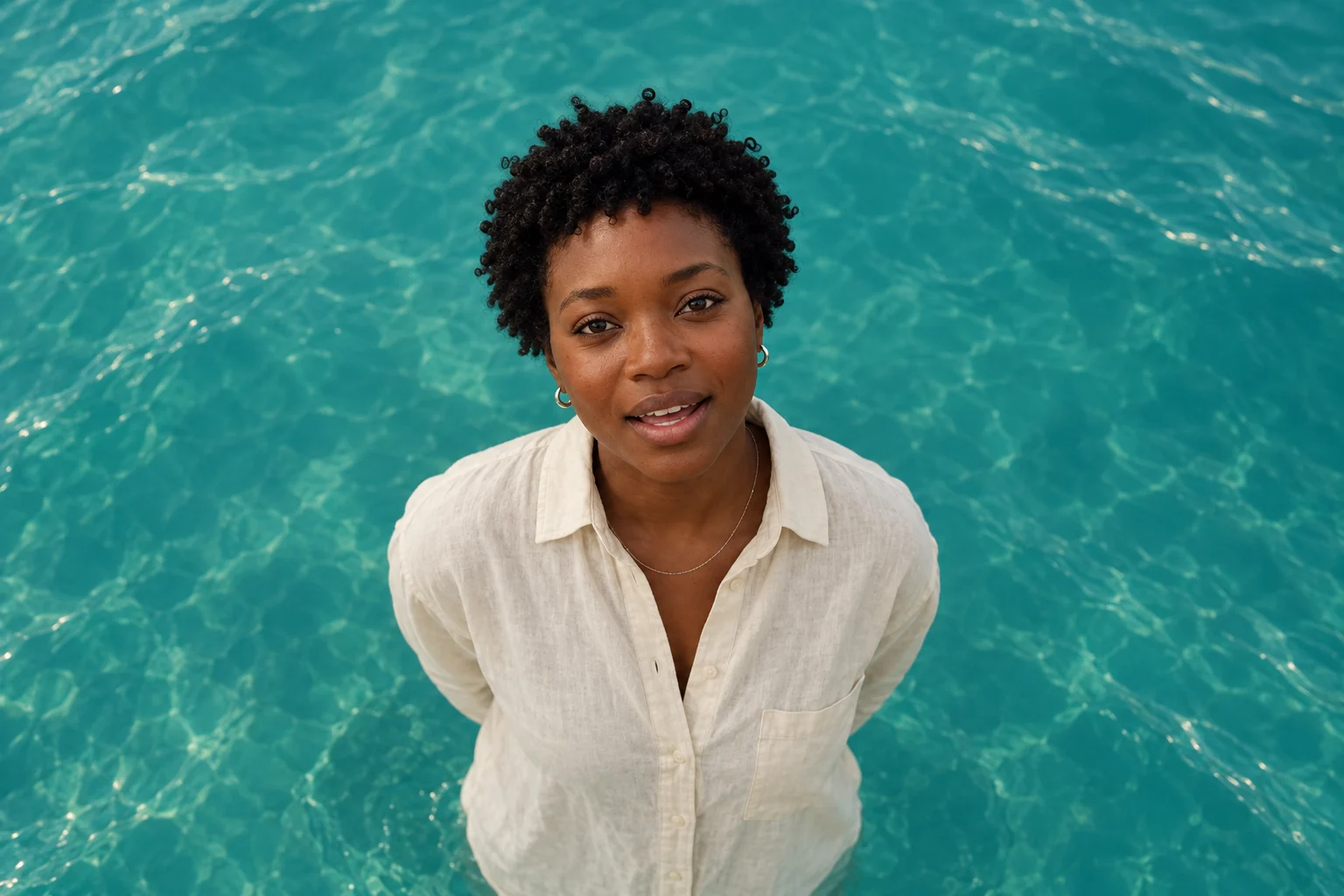
Singer close-up: the camera looks down
Keep the lead singer's identity and clothing consistent. Elevated camera looking down toward a chest-up portrait. Fill the entire background with softly rippled teal lagoon water. No horizon, sky, shoreline or studio wall. Natural diffuse light, clear face, relaxed gestures.
Duet: assign roles before the scene
Photo A identifies the lead singer; photo B identifies the partner. The prompt names these roles instead of “two people,” which can leave identity assignments ambiguous.
Use adult A from the first photo and adult B from the second. Keep faces, hair and outfits distinct. Seat them back-to-back on natural sand, in warm late-day beach light. Low seated camera, both faces readable, a thin far shoreline. Neither face should merge with the other. No foreground ocean, added palms or standing side-by-side pose. No text or watermark.
Scene checklist
| Shot | Camera and environment | Avoid |
|---|---|---|
| Pier | Low timber jetty, black tires, blue-green water | Railings, pavilion, resort scenery |
| Water close-up | Elevated camera, teal water fills the frame | Fake studio backdrop or horizon |
| Beach duet | Two adults seated back-to-back, low camera | Standing poses, face blending |
Timing and lyric-level lip sync
For a fixed MV, first map the source shot boundaries and the exact audio segment for each shot. Use the lyrics as performance direction, but use the matching audio to drive a lip-sync stage. Then check mouth shapes, identity and cuts in the encoded video. A text prompt alone is not audio synchronization.
The current Raindance generator requests a visual sequence and exports a silent clip. It does not implement exact source-shot timing, original-song audio or word-level lip sync. The concept images above cannot prove those capabilities.
Inspect before you render again
Check the two identities separately, the camera angle and the scene geometry. If a face changes, start with a clearer portrait; if the environment is wrong, supply a supported environment reference. A further paid generation is a new attempt, not a guarantee of a fix.
Next: photo-to-video walkthrough or music and lip sync.