
Crazy Frog AI Video: Prepare a Reference That Can Actually Work
Prepare the invisible-motorcycle riding pose, keep rider and pursuer distinct, and review the reference-driven shot before adding Axel F.
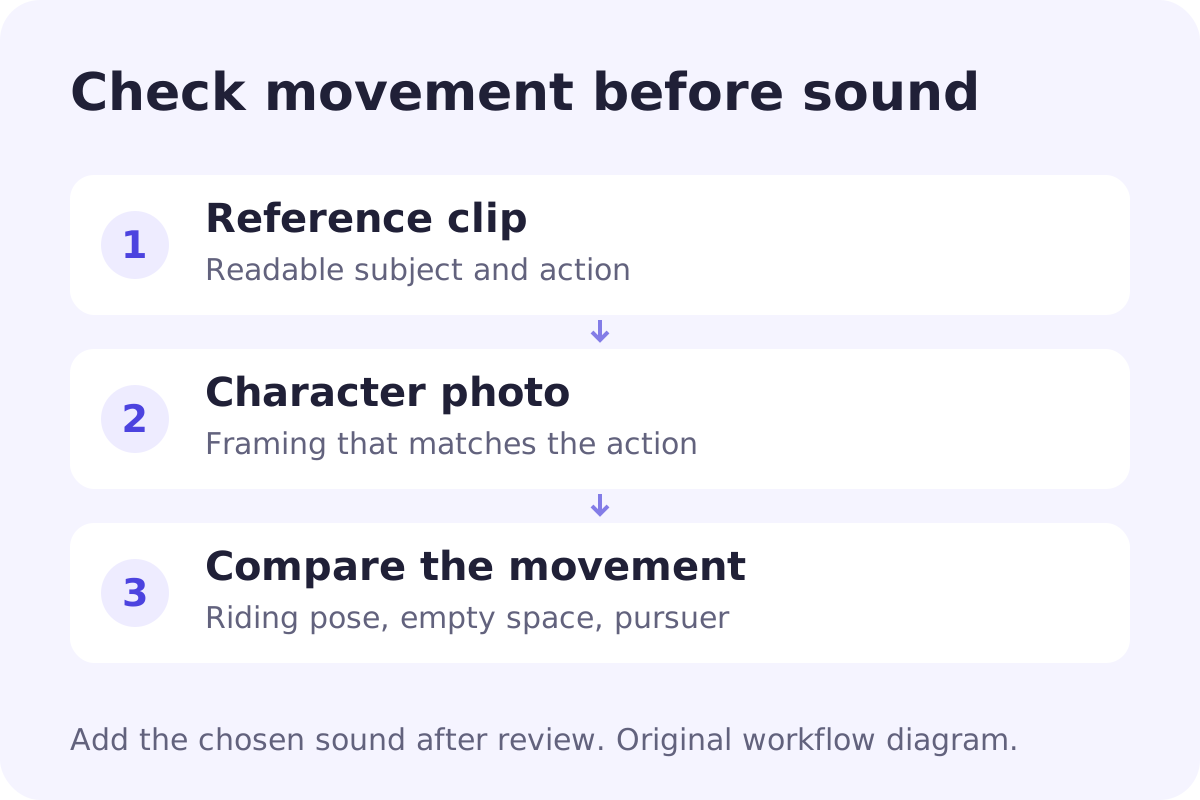
The recognizable Crazy Frog setup is an invisible ride: knees bent, a crouched riding posture, and fists held as if gripping handlebars that are not there. A pursuer may follow behind. To put a different character in that scene, the reference needs to carry the riding pose and the chase, not turn the rider into someone running down a street.
For reference comparisons, start with the creator posts by @tonnatusha and @wdmowski. Use them to decide which pose, cast and chase you want to preserve. They are creator references; Crazy Frog's official site is a separate starting point for the music and artist.
This guide is about preparing that reference and choosing a suitable workflow. Raindance's regular scenes generate silent clips from their own fixed scene instructions; its music video uses a fixed song. Neither is a Crazy Frog motion-transfer template, and the MV does not let you replace its soundtrack with Axel F.
Decide what has to survive the remake
Watch your reference once for the rider and again for the camera. Check the bent knees, the hands on imaginary handlebars and the empty space beneath the body. During a chase, note the rider's direction, the pursuer's position and any camera turn. Decide which character your photo replaces before uploading; rider and pursuer should not exchange roles partway through the shot.
A text prompt can request a new action, but it does not carry the original clip's timing. If matching that movement is the point, look for a tool that accepts a video reference and explicitly offers motion transfer. If you want to retain the original environment and replace only a character, look for an element-replacement workflow instead. A tool with a photo upload alone has not demonstrated either capability.
Prepare the clip and photo as a pair
Choose a short, continuous reference where the riding posture and the space below the rider stay visible. A face close-up hides the bent legs and makes the invisible-motorcycle joke harder to preserve. Cut away unrelated introductions and sudden scene changes. Keep the original file so you can compare the output with it rather than relying on memory.
For the new rider, use a clear character photo with a useful view of clothing, arms and legs. A cropped selfie leaves much more of the crouched body for the model to invent. Avoid hands covering the face or objects hiding the body. Use a person who has agreed to appear, or an original character image you can use. If you also replace the pursuer, keep that character in a separate reference and identify the two roles clearly. Start with the rider alone if the controls do not make that distinction clear.
Check the actual video-reference controls
Higgsfield Genjutsu provides a concrete example of the distinction. Its public page, checked on October 16, 2026, describes Motion Transfer as rebuilding a scene around the reference movement, camera and timing. Object Swap instead changes selected elements while retaining the rest of the shot. The same page lists a 4–30-second reference-video range and up to 30 reference images. Check the live generator before preparing a final upload because supported inputs can change.
Those are the provider's stated capabilities, not a Crazy Frog output test by this site. This guide has not run a paid recreation. Before spending credits, confirm that the selected mode accepts your reference clip, identify which image supplies the character, and read the displayed cost. Do not infer a motion-transfer feature from a generic “AI video” label.
Review the movement before adding the sound
Compare the crouched silhouette, bent knees and hands first. The space beneath the rider should remain empty; a motorcycle appearing halfway through changes the joke. In a chase, follow both roles and watch for the pursuer becoming the rider or the two faces blending. If your chosen reference contains a turn or flip, check the face and clothing before and after it. The reference decides the movement; this guide does not prescribe a flip or a timestamp. Adding music will not fix a missing riding pose or a confused cast.
Keep the shortest usable sequence. It is easier to edit a clear action into a music-led post than to rescue several inconsistent shots. A successful render is not a promise of exact choreography or identity, and another paid attempt may produce a different result rather than a repair.
Add the version of Axel F you actually intend to use
The visual action and the music are separate decisions. Find the Crazy Frog version of Axel F in your intended posting app, check its artist label, and choose the excerpt there. A search for “Axel F” can also bring up the original composition or other versions. Do not trim the picture to an assumed drop time before you know which audio excerpt you have selected.
Import the approved visual clip into your editor, line up the action with that excerpt, and check the result once with sound and once muted. The silent pass makes movement problems easier to spot. Keep a clean visual export so a change of audio does not require another generation.
For a different task, our Stereo Love Funk guide separates filming a dance from building a multi-photo edit. That same first decision matters here: choose the workflow for the result you need, then prepare its inputs.